Zero-to-Storefront in Under Two Minutes
Install & Deploy WinCart (php spark cart:install)
WinCart runs cleanly on any Linux, macOS, or BSD host with PHP 8.2+ (intl, mbstring, mysqli, curl) and MariaDB 10.6+ or MySQL 8.0+. No Node.js build step or Redis server is required in production.
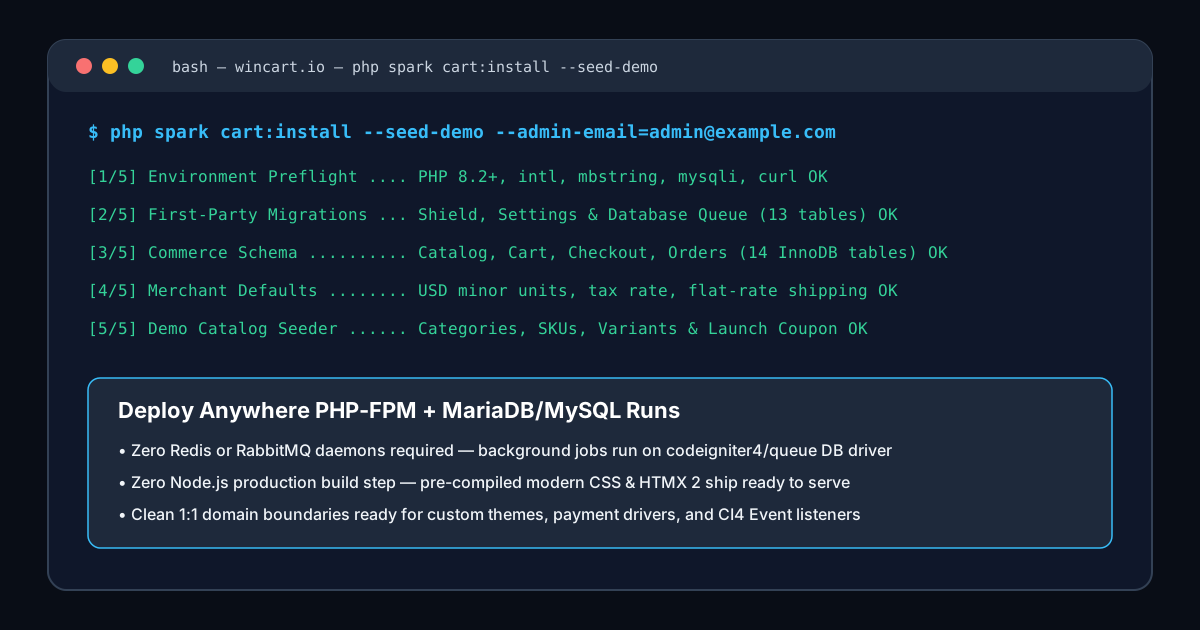
php spark cart:install CLI command validates extensions, migrates all 27 InnoDB tables, records merchant defaults, and optionally seeds a ready-to-browse demo catalog.Step 1 — Create Your Database & Run the Spark Installer
# Create an InnoDB utf8mb4 database in MariaDB / MySQL
mariadb -u root -e "CREATE DATABASE wincart CHARACTER SET utf8mb4 COLLATE utf8mb4_unicode_ci;"

# Install dependencies and execute the 1-command installer
composer install --no-dev --optimize-autoloader
php spark cart:install \
  --db-host=127.0.0.1 \
  --db-port=3306 \
  --db-name=wincart \
  --db-user=wincart \
  --db-pass="strong-secret-password" \
  --base-url="https://shop.example.com/" \
  --admin-email="owner@example.com" \
  --seed-demo
Step 2 — Production Nginx + PHP-FPM Virtual Host
Point Nginx's root exclusively at WinCart's public/ directory so app/, modules/, writable/, and .env remain completely outside the webroot.
server {
    listen 443 ssl http2;
    server_name shop.example.com;
    root /var/www/wincart/public;
    index index.php;

    location / {
        try_files $uri $uri/ /index.php$is_args$args;
    }

    location ~ \.php$ {
        include fastcgi_params;
        fastcgi_param SCRIPT_FILENAME $realpath_root$fastcgi_script_name;
        fastcgi_pass unix:/run/php/php8.3-fpm.sock;
    }

    location ~ /\.(?!well-known).* {
        deny all;
    }
}
Step 3 — Background Queue Worker & PHPUnit Verification
# Process order confirmation emails & webhooks via the database queue driver
php spark queue:work emails --max-jobs=100

# Run the automated unit & InnoDB integration test suite
./vendor/bin/phpunit --testdox